
Technical Specifications and Architectural Breakdown
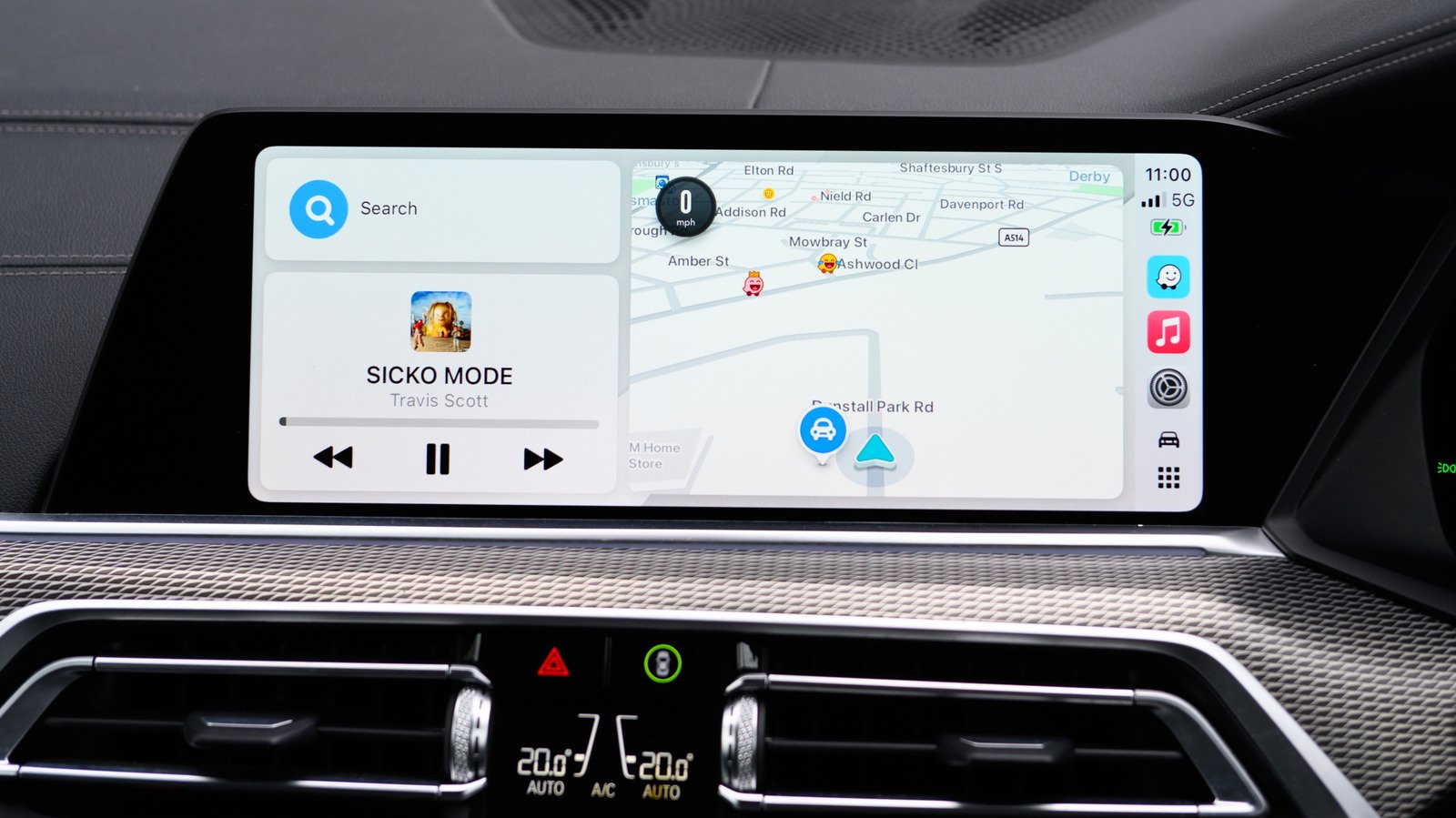
The architecture of Apple CarPlay relies on a projection-based protocol that facilitates a seamless data bridge between the iOS device and the vehicle’s infotainment head unit. When a user initiates a navigation session, the iPhone performs the heavy computational lifting—processing GPS telemetry, rendering vector maps, and cross-referencing real-time traffic databases—while the vehicle’s display serves as a high-resolution output terminal. This separation of concerns ensures that the navigation experience remains fluid, even when the vehicle’s native hardware may be aging.
The efficacy of speed camera alerts within this framework is contingent upon the application’s ability to communicate with the iOS Location Services API and the CarPlay framework simultaneously. When a navigation app identifies a speed camera, it pushes a notification packet through the CarPlay interface. This process requires low-latency synchronization to ensure that the visual and audible alert matches the vehicle’s current position on the road. Because these apps rely on community-driven reporting, the backend infrastructure must constantly ingest and validate crowdsourced data, pushing updates to the driver’s interface via cellular data connections. For the system to function correctly, the iPhone must maintain a stable background process, allowing the navigation app to calculate proximity to known enforcement zones without being throttled by iOS power management policies.
Industry Landscape and Competitive Comparison
The landscape of navigation software is currently dominated by three major players, each offering a distinct approach to the balance between usability and data density. While Apple Maps provides a clean, native experience, third-party developers like Waze and Google Maps have carved out significant market share by prioritizing granular, community-sourced data. The following table outlines the comparative strengths of these platforms regarding their integration with Apple CarPlay and enforcement data management.
| Feature | Waze | Google Maps | Apple Maps |
|---|---|---|---|
| Alert Granularity | High (Speed/Red Light) | Moderate (Speed/Red Light) | Low (Limited Regions) |
| Community Reporting | High | Medium | Low |
| Ease of Configuration | Moderate | High | High |
| Interface Latency | Low | Low | Very Low |
Waze remains the industry standard for those who prioritize real-time enforcement warnings. Its architecture is built specifically to handle high-frequency data updates from its user base, making it the most responsive tool for detecting mobile speed traps. Google Maps, while more conservative in its alert methodology, offers a more robust integration with broader search and local business data. Apple Maps, conversely, favors a minimalist user experience, which reduces cognitive load but may lack the comprehensive enforcement data found in its competitors.
Practical Consumer & Enterprise Takeaways
Optimizing Apple CarPlay for safety requires a methodical approach to configuration. Users should prioritize adjusting their alert settings within the navigation application while the iPhone is disconnected from the vehicle. This ensures that the application’s local cache is correctly updated before the synchronization handshake occurs with the head unit. Once connected, the interface often locks certain deep-menu settings to prevent driver distraction, making pre-trip configuration essential.
For enterprise users, such as fleet managers, the deployment of navigation standards across a workforce can have tangible benefits. Standardizing on an application that provides consistent speed camera alerts can encourage safer driving behaviors and reduce the occurrence of traffic violations. However, it is important to balance this with the risk of “alert fatigue.” Excessive audible notifications can lead to drivers ignoring the system entirely. Therefore, users should customize their notification preferences to only alert them to high-priority enforcement zones, rather than every minor traffic camera, to maintain a focus on the road.
Frequently Asked Questions
Why do my speed camera alerts sometimes fail to appear on the CarPlay dashboard?
Alert failures are typically caused by one of two factors: outdated application data or restricted background permissions. Ensure your navigation app has “Always Allow” access to Location Services and that Background App Refresh is enabled in your iPhone settings. Additionally, if the app has not been launched recently, its internal database of enforcement zones may be stale.
Is it necessary to use a wired connection for the most accurate alerts?
While wireless CarPlay is convenient, a wired connection provides a more stable data stream and ensures the iPhone remains charged during long trips. For real-time data accuracy, the quality of your cellular connection is more important than the method of CarPlay connectivity, as all navigation data is pulled from the cloud.
Can I report speed cameras directly through the CarPlay interface?
Yes, most navigation apps like Waze and Google Maps feature a “Report” button on the CarPlay display. However, to maintain safety, use this feature only when stationary or utilize voice commands if the app supports them. Contributing to the community data pool is the most effective way to ensure the system remains accurate for other drivers in your region.
The Bottom Line
Apple CarPlay has evolved from a simple media projection tool into an essential component of modern driving. By integrating community-driven navigation data directly into the dashboard, drivers are better equipped to navigate an increasingly regulated road environment. While the choice between Waze, Google Maps, and Apple Maps ultimately depends on individual preference, the technical configuration of these tools is a prerequisite for their effectiveness. By taking the time to properly calibrate alert settings and engaging with the reporting features of these platforms, drivers can significantly improve their situational awareness. The technology is a powerful aid, but it remains a supplement to, not a replacement for, attentive and responsible operation of a vehicle.
 Arjun Mehta
 Maya Deshmukh